Resetting your client portal password is easy, fast and similar to other applications you probably use every day. Let's walk through the steps to get your password reset and regain your access to your account.
Steps:
1. Go to your factoring portal log in page and click the Forgot Password link. 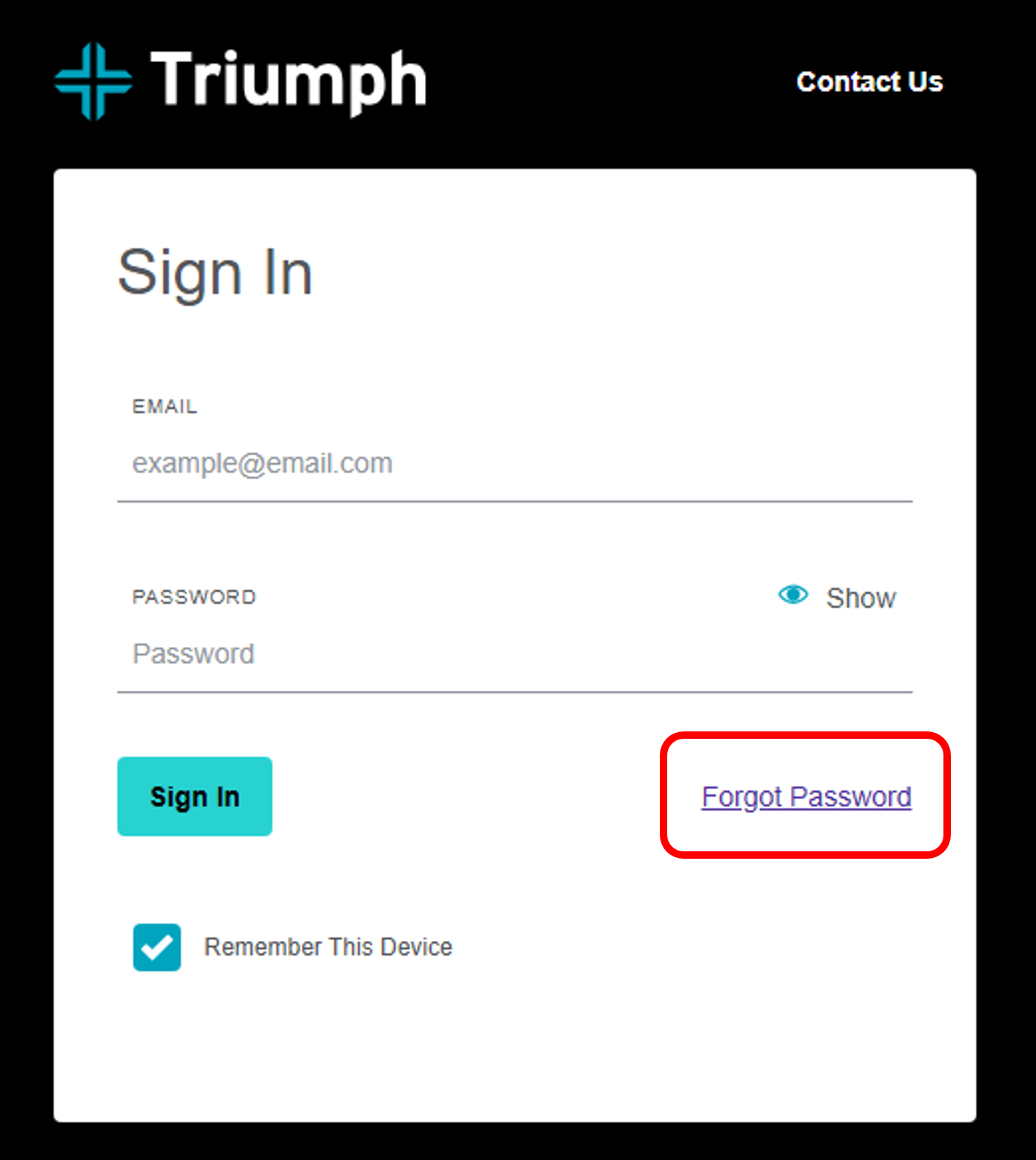
2. A 'Forgot Password' window will open. Enter your account email and click the Send Code button. 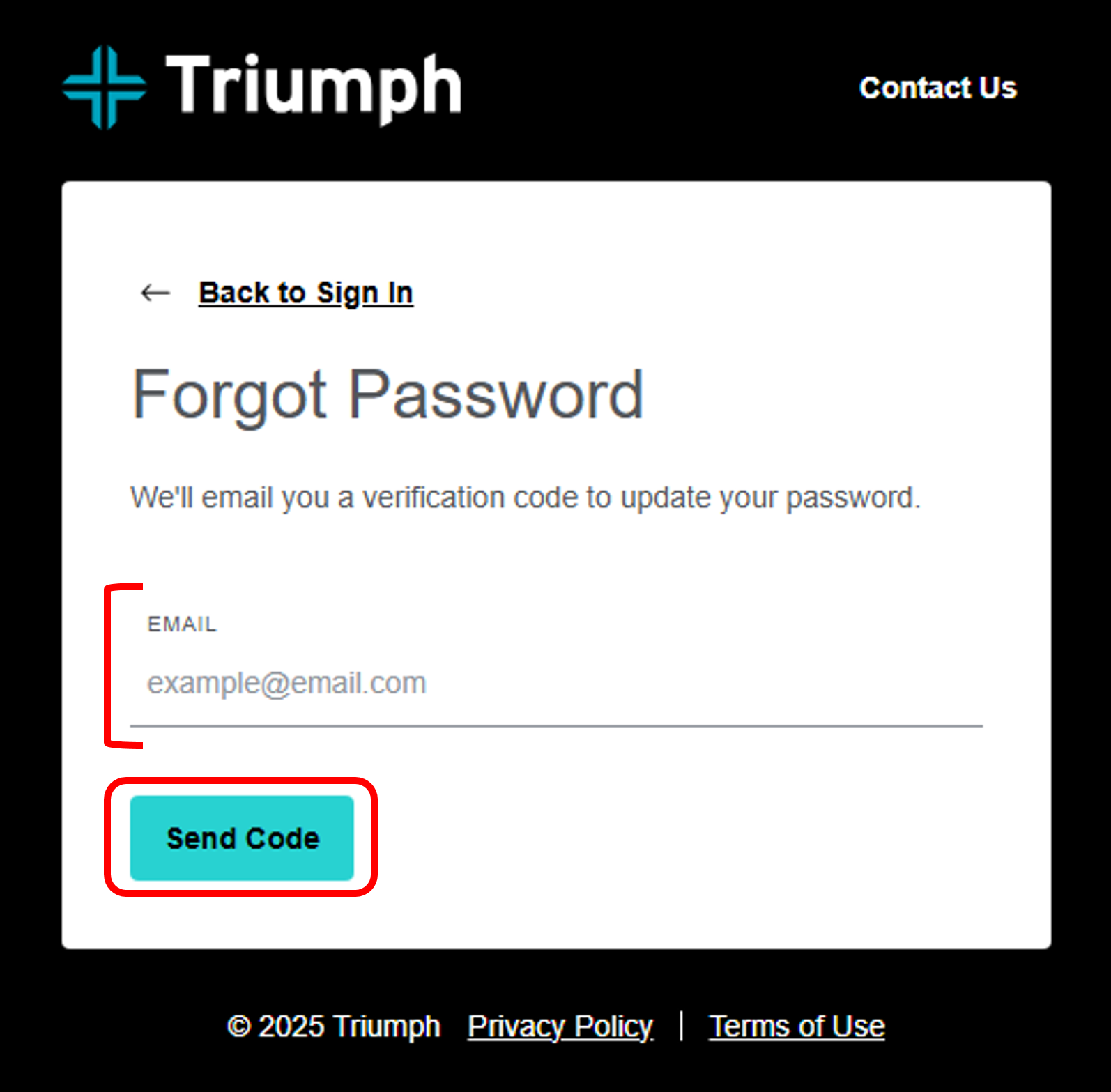
3. Go to your email. If the email you entered matches the one we have registered, you will receive a unique code to continue the reset password process.
Still need help? We're here for you.
- Phone (Toll-Free): (833) 242-2114
- Hours: Monday–Friday, 8:00 AM–5:00 PM CST